
What's new? 📦
Version 2.0.0 (04/01/26)
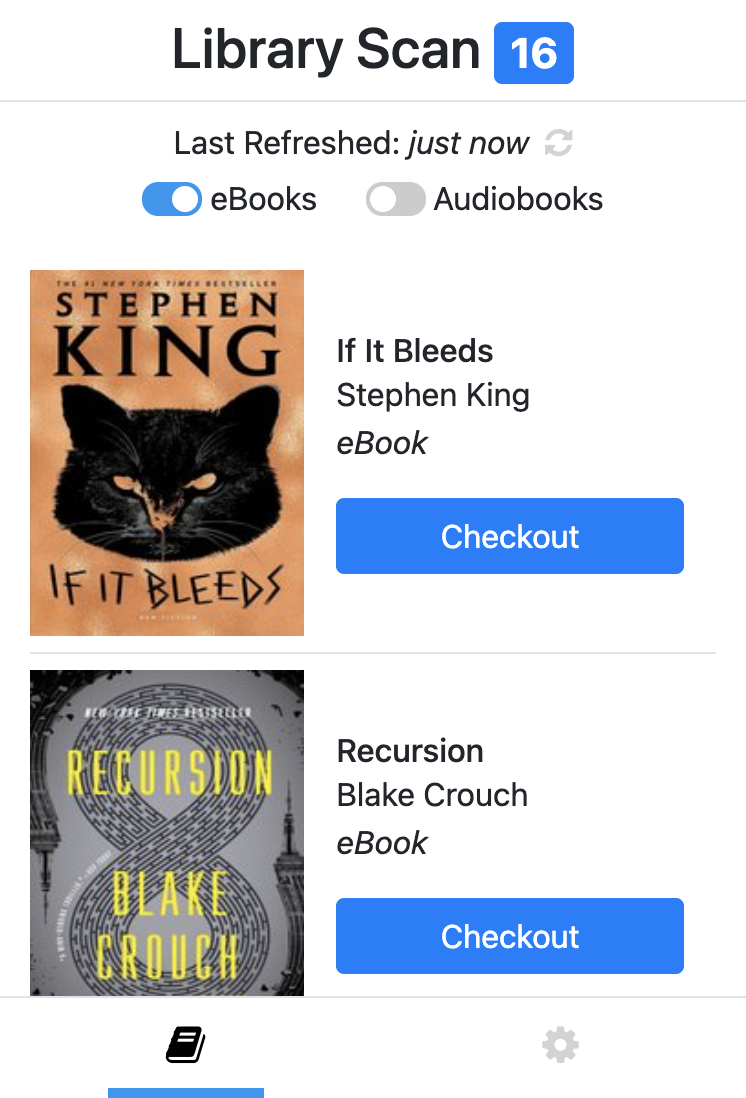
- Introducing Library Scan Pro! Daily auto-scans with desktop notifications, multiple OverDrive (Libby) libraries, multiple Goodreads shelves, and unlimited books per scan
- Completely redesigned interface with guided setup wizard & profile auto-detection
- Search your results & OverDrive (Libby) libraries by title and author
Version 1.0.2 (05/22/21)
- Improved book matching algorithm
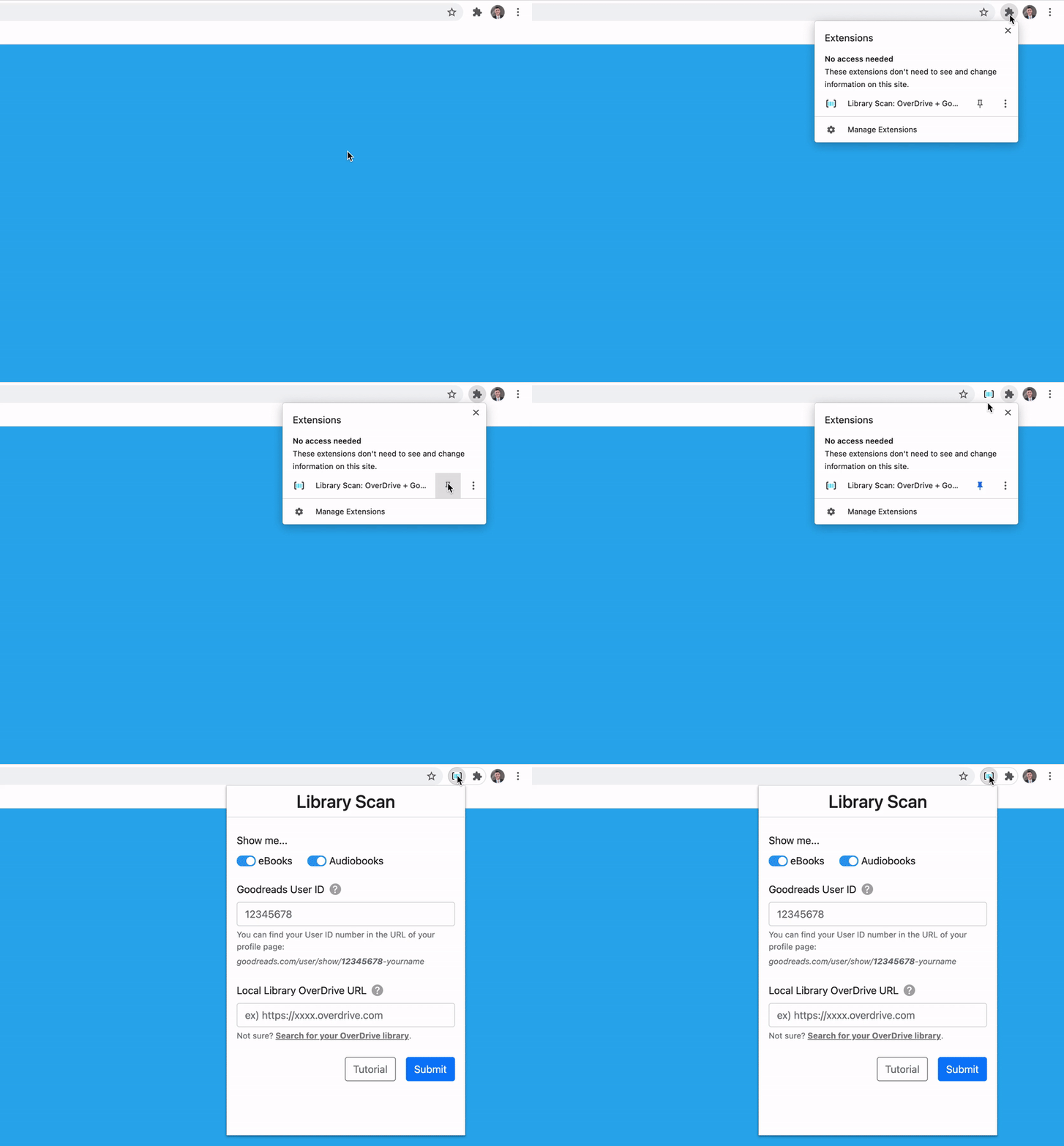
- Improved setup instructions & resources
- Enhanced versioning analytics
- Bug fix: accurate badge counts
- Bug fix: limit auto refreshing after errors
Version 1.0.1 (07/26/20)
- Improved analytics
Version 1.0.0 (07/25/20)
- Initial release
FAQ 🙋
Can I connect multiple OverDrive (Libby) libraries?
Yes! With Library Scan Pro, you can scan across all your library cards at once. Free users can connect one library.
Does my Goodreads profile need to be public?
Yes—your account must be publicly viewable so Library Scan can see the books you've shelved. You can make this privacy change here by setting "Who Can View My Profile" to "anyone (including search engines)".
If you would like to keep a Goodreads profile private, you can always revert these privacy changes immediately after searching with Library Scan. However, please be aware that automatic daily scans will stop working once a profile becomes private.